Ink spitting issues in high-speed flexo printing can significantly impact print quality. This problem can lead to unacceptable print results and increased waste. Understanding how to solve ink spitting issues in high-speed flexo printing is vital for maintaining operational efficiency.
There are several factors contributing to ink spitting. Ink viscosity, anilox roller condition, and printing speed all play crucial roles. Professionals in the industry must consider these elements carefully. Each has the potential to disrupt the printing process. Finding the right balance can be challenging and may require adjustments.
Moreover, printers often face pressure to enhance productivity. However, this should not compromise quality. Regular maintenance and thorough testing can help identify issues before they escalate. Addressing these concerns thoughtfully can lead to improved performance and reduced costs. High-speed flexo printing requires both expertise and vigilance to navigate these challenges effectively.
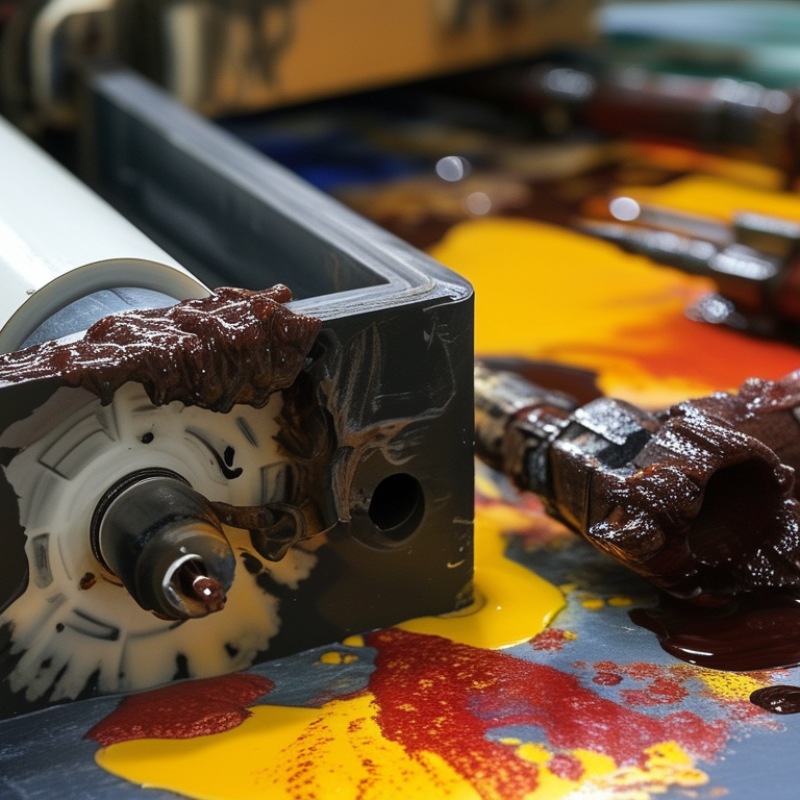
Ink spitting is a common challenge in high-speed flexo printing. This issue occurs when excess ink is released unpredictably from the anilox roll. The result is inconsistency on printed materials.
According to industry reports, nearly 30% of flexo operators report issues related to ink spitting, significantly affecting print quality and efficiency.
One common cause of ink spitting is incorrect viscosity. High-speed operations often require precise viscosity control. When ink is too thin or too thick, the chances of spitting increase. Monitoring viscosity regularly can help mitigate this problem.
Tips: Adjust your ink formulations to maintain the optimal viscosity range, typically between 18-25 seconds in a Ford cup. Ensure that your anilox rolls are properly cleaned to avoid buildup. Regular audits of the printing setup can identify other potential issues.
Another factor to consider is air entrapment. Rapid movement can trap air in the ink, leading to bubble formation. This can worsen spitting problems. Operators should check for potential air leaks in the printing system. Regular maintenance and pressure adjustments can help control air within the ink system.
Tips: Use de-aeration technologies to minimize air in your ink. Employing a vacuum system during setup can prevent excessive bubbles. Always review your pressure settings for consistency to ensure smooth operations.
Ink spitting is a common issue in high-speed flexo printing that can disrupt production. Understanding its causes is essential to find effective solutions. A leading cause of ink spitting is improper ink viscosity. If the ink is too thick or too thin, it can lead to erratic flow and spit out of the printing block. Another contributor is air entrapment within the ink system. Air bubbles can create inconsistent pressure, resulting in splatter.
One effective tip is to regularly check the viscosity of your ink. Use a viscosity meter to ensure the levels are optimal. Always refer to the manufacturer’s specifications for guidance. Additionally, consider using an ink recirculation system. This setup helps minimize air entrapment and maintains a consistent flow.
Another common cause of ink spitting is the condition of the anilox rollers. Over time, they can wear down, affecting ink transfer. Regularly inspect these rollers for damage or wear. If they appear worn, it may be necessary to clean or replace them.
Finally, ensure that your printing environment is stable. Fluctuations in temperature and humidity can affect ink performance. Keeping these factors within a consistent range will help reduce issues. If spitting persists, reevaluate your entire ink system for potential leaks or blockages.
Ink spitting is a common issue in high-speed flexo printing. To resolve it, accurate diagnostic techniques are essential. Observing print quality closely can provide initial insights. Anomalies like inconsistent ink density, droplets, and unexpected marks on the substrate often signal problems. Any noticeable difference in print results requires immediate attention.
Examining the ink viscosity and temperature is vital. Both factors influence how well the ink flows and adheres to the substrate. Use a viscometer to check viscosity. If it's too thick, it may contribute to spitting. Additionally, cleaning the anilox rollers and ink gutters should not be overlooked. Build-up of dried ink can cause disruptions in ink delivery systems.
Operator feedback is crucial. They may notice patterns that go unnoticed through mechanical checks. Keeping a log of spitting instances can help identify specific conditions leading to these events. This data may reveal that ink spitting occurs under high-speed conditions or certain temperatures. Be mindful that diagnosing these issues may require trial and error. It's a learning process, and reflection on what works is part of continuous improvement.
Ink spitting can severely impact print quality in high-speed flexo printing. To minimize this issue, proactive measures are essential. Recent studies indicate that up to 30% of printing errors stem from improper ink management. Controlling viscosity and maintaining consistent temperature can help reduce inconsistencies.
Regular maintenance of printing equipment is crucial. Ensure that anilox rolls are clean and properly engraved. Dirt and debris can lead to uneven ink transfer, causing spitting. Implement daily checks to catch potential issues early.
Tips: Regularly calibrate ink flow systems. Always use the correct screening technology to match your substrate.
Consider the ink formulation as well. Inks with low foaming properties tend to perform better. A study found that using inks specifically designed for high-speed applications can cut spitting incidents by 25%. Training operators on the impact of environmental conditions can also help mitigate risk.
Tips: Monitor humidity levels in your print environment. Aim for a consistent range between 40% to 60%. This simple step can yield significant improvements.
Maintaining optimal printing conditions is essential for reducing ink spitting in high-speed flexo printing. Regularly monitor the viscosity of your ink. Incorrect viscosity levels can lead to spitting. Use precise measurement tools to ensure the ink stays within recommended ranges. Adjustments may be necessary during production runs. The environment also plays a critical role. Keep the printing area clean and dust-free. Even small particles can disrupt print quality.
Check your anilox rollers frequently. Worn or damaged rollers can cause uneven ink transfer, leading to spitting. Regular cleaning of these rollers helps maintain ink consistency. Ensure proper doctor blade alignment. Misalignment may cause too much ink to be released. This can contribute to spitting. Implement routine training for operators to spot these issues early.
Consider temperature and humidity levels. Fluctuations can affect ink performance. Use climate control systems to stabilize these factors. Sometimes, even minor changes can have significant impacts. Reviewing production processes for potential adjustments is vital. Small tweaks can lead to improved reliability and performance over time. It's important to stay vigilant and proactive in your maintenance routine.
| Printing Condition | Issue | Recommended Solution | Regular Maintenance |
|---|---|---|---|
| Ink Viscosity | Inconsistent Printing | Adjust viscosity with appropriate additives | Weekly viscosity checks |
| Anilox Roller | Insufficient Ink Transfer | Clean or replace the anilox roller | Monthly cleaning schedule |
| Doctor Blade | Ink Spitting | Properly adjust the doctor blade pressure | Inspect daily |
| Printing Speed | Quality Deterioration | Reduce speed to optimize printing | Monitor performance weekly |
| Environmental Conditions | Impact on Ink Performance | Control humidity and temperature | Daily environment checks |
: Improper ink viscosity can cause spitting. Too thick or thin ink disrupts flow.
Use a viscosity meter to monitor ink levels. Follow the manufacturer's specifications for best results.
Air bubbles create inconsistent pressure. This inconsistency often leads to splatter during printing.
Regularly inspect the rollers. If damaged, clean or replace them to ensure proper ink transfer.
Fluctuations in temperature and humidity can affect ink performance. A stable environment helps reduce spitting.
Perform regular maintenance. Keep anilox rolls clean and check for wear to avoid ink transfer issues.
Aim for a humidity range between 40% and 60%. Consistency is key to improving print quality.
Yes. Inks with low foaming properties perform better. Specific formulations can reduce spitting incidents significantly.
Calibrate ink flow systems regularly. This helps maintain consistent ink application and reduces spitting.
Training can inform operators about environmental conditions. Awareness can reduce the risk of ink spitting issues.
Ink spitting is a common challenge in high-speed flexo printing, characterized by unexpected bursts of ink that can affect print quality. To understand how to solve ink spitting issues in high-speed flexo printing, it’s essential to identify its common causes, which may include improper press settings, unsuitable inks, or equipment malfunctions. Diagnostic techniques can help pinpoint the specific factors leading to spitting, allowing for targeted corrective actions.
To prevent ink spitting, printers should implement preventative measures such as regular maintenance, careful monitoring of ink viscosity, and optimizing printing conditions. Adopting best practices within the printing operation will also contribute to maintaining an efficient workflow while minimizing ink spitting incidents, ultimately leading to a more consistent and high-quality output.

Moveco Machine