Top 10 Reasons Die Cutting Plates Dull on High Speed Machines?

Time:2026-10-26 Author:Liam
0%

High-speed die cutting rewards precision, but it also exposes small weaknesses quickly. A plate that looks sharp at startup may produce crushed edges, incomplete cuts, or rising waste after thousands of impressions. The real question is not simply whether the machine runs too fast. It is what causes die-cutting plates to dull prematurely on high speed machines?

Recent industry reports provide useful context. Smithers’ The Future of Global Packaging to 2028 describes continued packaging growth, shorter production cycles, and stronger pressure for efficient converting. PMMI’s 2024 State of the Industry: U.S. Packaging Machinery also highlights automation, throughput, and equipment reliability as major operational priorities. These reports do not identify one universal dulling factor. They show why minor problems become expensive when production never slows.

Tribology expert Dr. Bharat Bhushan defines wear as “the progressive loss of substance from a surface.” That simple sentence matters on the factory floor. Excessive pressure, abrasive coatings, poor steel selection, misaligned cylinders, and inadequate cleaning can remove cutting sharpness faster than expected. Heat can worsen the damage. So can microscopic debris packed beneath a plate.

The answer is rarely one fault. Sometimes, it is several small faults arriving together. A plate may survive a short run, then fail beside a dusty anvil or poorly adjusted counter-pressure system. This guide examines ten practical causes, using observable symptoms, maintenance experience, and engineering principles. Some assumptions may need challenging. Speed alone is an easy explanation, but often an incomplete one.
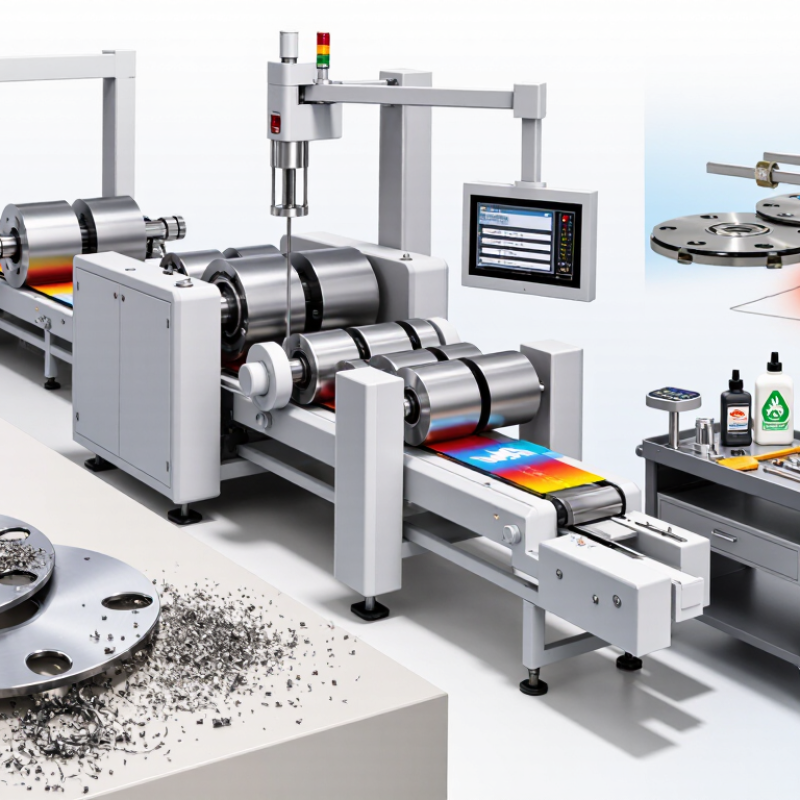
Top 10 Reasons Die Cutting Plates Dull on High Speed Machines?

What Die Cutting Plate Dullness Means on High-Speed Machines

On high-speed machines, die cutting plate dullness means more than a simple loss of sharpness. It often signals increasing mechanical stress, poor setup, or unsuitable material conditions. A dull plate may leave crushed edges, incomplete cuts, and fine paper dust around the waste area. Production speed can hide these symptoms until quality changes become obvious.

In practice, I check the cut edge under magnification before changing the plate. A rounded edge suggests wear, while uneven marks may indicate pressure imbalance or poor alignment. Excessive pressure can damage the cutting surface faster than normal production. Hard coatings, abrasive fillers, and recycled fibers may also accelerate wear. Heat matters too. Continuous high-speed operation can expand components and change cutting accuracy slightly.

Not every dull-looking plate is worn out. Sometimes, compacted debris blocks the cutting edge. Careful cleaning may restore performance, but aggressive tools can create new damage. Operators should record machine speed, material type, pressure settings, and cutting results. These details support a more reliable diagnosis. I have seen teams replace plates too early because they judged dullness by appearance alone. That approach saves little and may hide setup problems. A controlled test at reduced speed can reveal whether the plate, material, or machine alignment causes the defect. Small variations matter.

How Cutting Pressure and Machine Speed Accelerate Plate Wear

On high-speed die cutting machines, plate wear rarely comes from speed alone. Excessive cutting pressure compresses the plate against the anvil or counter surface. This creates friction, heat, and tiny edge deformations. Heat follows pressure. As the machine accelerates, each impression arrives sooner. The plate has less time to release heat and recover its shape. I have seen clean cuts become ragged after only a few production hours. The first sign was often a faint burr, not a dramatic failure.

Machine speed also magnifies vibration, timing errors, and uneven material resistance. A warped sheet or inconsistent substrate can force one plate area to work harder. That local stress dulls edges faster than normal contact. Operators sometimes increase pressure to restore cut quality. It works briefly. Then wear accelerates. A better check includes pressure readings, impression marks, sheet flatness, and the plate surface under magnification. Small errors matter. Compare samples from the leading and trailing edges, where speed-related loading may differ.

Durable operation depends on matching pressure to the actual stock, not the machine’s maximum setting. Increase speed in controlled steps, then inspect the cut, plate edge, and waste removal. A short stabilization period can reveal heat-related drift. Cleaning matters too; trapped fibers can act like abrasive particles. My own setups have not always been ideal. I once blamed a dull plate when uneven pressure was the real cause. That mistake reinforced a practical rule: record adjustments, change one variable at a time, and treat early wear as diagnostic evidence.

Top 10 Reasons Die Cutting Plates Dull on High-Speed Machines

Relative engineering severity of common wear mechanisms. Excessive cutting pressure and higher machine speed increase contact stress, frictional heating, and the number of cutting cycles per minute.

The highest-risk conditions are excessive cutting pressure, abrasive contamination, insufficient lubrication, and excessive machine speed. Reducing pressure to the minimum required for a clean cut and controlling speed, heat, and debris can significantly extend plate life.

The Role of Materials, Blades, and Plate Surface Quality

Die cutting plates dull faster on high-speed machines when material, blades, and surface quality work against each other.

Dense coated board creates more sliding friction than ordinary kraft board. Recycled fibers can also carry mineral particles. These particles act like fine sand against the cutting edge.

Blade geometry matters. A narrow bevel may cut cleanly, but it loses strength under repeated impact. Excessive pressure then compresses the plate surface and accelerates wear.

Poor plate milling leaves tiny burrs around the rule. At high speed, those burrs become heat points. I have seen operators blame the blade, while uneven anvil pressure caused the real damage. That diagnosis is easy to miss.

Industry volume makes this issue expensive. FEFCO’s 2023 Key Statistics reported roughly 42 million tonnes of corrugated board production in Europe. Even small increases in waste become significant at that scale. Surface flatness, rule height, and material consistency deserve routine checks, not occasional inspection. The Smithers report The Future of Global Packaging to 2028 also describes continued packaging growth, increasing pressure on productive machine hours.

Tips: Check plate flatness before installation. Measure cutting pressure across the sheet. Clean dust from the impression cylinder daily. Replace damaged rules early. Record board grade, speed, pressure, and edge condition together. Do not trust appearance alone. A shiny edge may still be weak. Reflect on the process, too: higher speed is not always higher output when quality losses rise.

Common Setup and Maintenance Errors That Cause Premature Dulling

High-speed die cutting plates often dull because setup errors multiply under pressure. Excessive cutting force is a common culprit. Operators may increase pressure when waste fails to strip, but this can crush the cutting edge. Incorrect plate height, uneven lockup, and poor alignment create similar stress. A worn or uneven counterplate can also damage the edge within a few production hours. Small debris wins.

Material choice matters too. A plate designed for softer stock may wear quickly on abrasive board, laminated sheets, or heavily coated surfaces. Heat from continuous running can reduce edge stability, especially when lubrication is inadequate. Insufficient cleaning leaves adhesive, paper dust, and coating residue around the cutting line. These deposits change the cutting depth and force operators to compensate incorrectly. That is costly.

Maintenance routines often look complete but miss the details. Inspect the cutting edge under bright, angled light, not only by touch. Check plate flatness, lockup pressure, and cutting depth at regular intervals. Replace damaged counterplates instead of repeatedly increasing machine pressure. Store plates dry, supported, and protected from accidental impact. A rushed setup can pass the first inspection and still shorten tool life. I have seen teams blame material quality when the real cause was uneven pressure across the chase. Record speed, substrate, pressure, and wear patterns after each run. Those notes make recurring faults easier to separate from operator assumptions.

Steps to Diagnose, Prevent, and Correct Die Cutting Plate Wear

High-speed die cutting plates dull for several practical reasons. Excessive pressure can crush cutting edges and create rounded corners. Heat from continuous production may soften adhesives, coatings, or plate materials. Dust, paper fibers, and poorly removed waste can also abrade the edge. Inspect the plate under angled light. Look for burrs, shiny shoulders, uneven cuts, and crushed liner marks. Check the cutting force, machine speed, substrate thickness, and waste-stripping tension. Do not blame the plate too quickly. A worn counterplate or inaccurate setup may produce similar symptoms.

Corrective work should begin with a controlled trial. Clean the plate carefully, reduce pressure slightly, and run a short sample batch. Measure the cut depth across several positions, not only near the operator side. If one area cuts deeper, inspect cylinder alignment, mounting tape, and surface flatness. Replace damaged plates when edge rounding remains after adjustment. Prevention depends on consistent cleaning, correct storage, and scheduled inspections. Keep plates dry and protected from contact with hard tools. Record production hours, materials, pressure settings, and defect locations. These records reveal patterns, although they may not explain every failure.

Tips: Use a magnifier during inspection. Check the dullest corners first. Change only one setting at a time. Keep a spare plate available. A quick trial can prevent a long, expensive run. Recheck the result after the machine reaches operating temperature. It is easy to miss thermal wear during a cold startup.

Top 10 Reasons Die Cutting Plates Dull on High Speed Machines? - Steps to Diagnose, Prevent, and Correct Die Cutting Plate Wear

Reason for Dulling Technical Cause Typical Diagnostic Signs Preventive Steps Corrective Action Potential Impact
1 Excessive Cutting Pressure Pressure set above the minimum level needed to cut the substrate increases contact stress between the cutting edge, anvil, and make-ready materials.
  • Clean cuts at first, followed by rapid edge rounding.
  • Visible compression marks on the sheet.
  • Increased drive load or machine noise.
Set pressure using the minimum-cut principle and verify the setting after tooling or substrate changes. Reduce pressure gradually, inspect the die board and counterplate, and replace the plate if the cutting edge has developed a permanent radius. High
2 Abrasive or Contaminated Substrate Mineral fillers, coatings, paper dust, glass fibers, metallic particles, or other hard contaminants abrade the cutting edge during repeated strokes.
  • Wear is concentrated along the most frequently used cuts.
  • Fine dust accumulates around the cutting station.
  • Different lots of the same material produce different tool life.
Control substrate cleanliness, store sheets in covered conditions, and remove dust before feeding where practical. Clean the cutting area, isolate the abrasive material lot, confirm substrate specifications, and install a suitable wear-resistant plate where required. High
3 Incorrect or Inadequate Lubrication Insufficient or unsuitable lubricant increases friction and heat at moving interfaces, while excess lubricant can attract dust and create abrasive paste.
  • Heat or discoloration near moving components.
  • Squeaking, friction noise, or inconsistent motion.
  • Sticky dust deposits around guides or bearings.
Follow the machine manufacturer’s lubrication schedule and use only the specified lubricant and quantity. Clean contaminated parts, lubricate the correct points, inspect guides and bearings, and verify free movement before restarting production. Medium
4 Excessive Machine Speed Higher speed raises cycle frequency, frictional heating, vibration, and dynamic loading. These effects accelerate wear when the tooling or substrate is not rated for the speed.
  • Cut quality deteriorates only above a specific speed.
  • Heat, vibration, or noise increases with speed.
  • Wear is faster during long continuous runs.
Use a validated speed window for each substrate and reduce speed during setup, heavy stock, or complex cutting patterns. Run a controlled speed trial, correct alignment and balance issues, and operate below the verified limit until the root cause is resolved. High
5 Improper Make-Ready or Counterplate Uneven, excessively hard, damaged, or incorrectly positioned make-ready material creates localized pressure peaks and uneven contact with the die.
  • Some areas cut through while others remain uncut.
  • Wear appears in isolated zones rather than uniformly.
  • Repeated local adjustments are required.
Use the correct make-ready material, apply it smoothly, and map pressure distribution before production approval. Replace damaged material, correct local packing, inspect the counterplate surface, and re-register the make-ready to the cutting form. High
6 Poor Die Plate Alignment Misalignment causes the cutting edge to enter the counter surface at an angle or concentrates load on one side of the plate.
  • One side of the job shows earlier dulling.
  • Cut depth varies across the sheet.
  • Registration or stripping problems occur.
Check mounting references, plate seating, register marks, and parallelism during every tooling change. Stop the machine, remount and register the plate, inspect locating pins or clamps, and confirm parallel contact using a controlled test sheet. High
7 Unsuitable Blade Geometry or Steel Incorrect bevel angle, insufficient hardness, unsuitable cutting height, or a blade specification mismatched to the substrate increases edge stress and wear.
  • Tooling wears quickly even at correct pressure.
  • Crushing, burrs, or incomplete cuts appear from the start.
  • Different blade sections show inconsistent performance.
Match blade geometry, height, hardness, and edge configuration to the material thickness and construction. Have the tooling specification reviewed, replace unsuitable sections, and validate the revised geometry with a short production trial. High
8 Foreign Objects or Setup Damage Clips, staples, metal fragments, hardened adhesive, or incorrect setup components can nick, chip, or locally deform the cutting edge.
  • Small chips or dents are visible under magnification.
  • Defects repeat at the same position on every sheet.
  • Dulling begins immediately after a jam or crash.
Use a setup checklist, inspect incoming stock, remove debris promptly, and protect the cutting edge during tooling handling. Stop and clean the station, identify the object that caused the damage, replace or professionally repair the affected section, and verify safety clearances. High
9 Poor Cleaning and Dust Management Accumulated dust and waste interfere with seating, increase abrasion, obstruct stripping, and prevent accurate pressure transfer.
  • Cut quality worsens progressively during the shift.
  • Waste builds up around the die and stripping area.
  • Pressure changes after cleaning the station.
Schedule cleaning intervals, use suitable non-damaging tools, and maintain effective extraction around the cutting zone. Remove dust and waste without scraping the edge, inspect the die face and counterplate, then repeat a controlled cut test. Medium
10 Delayed Inspection and Reuse of Worn Tooling Continuing to run with a rounded, chipped, or uneven edge requires additional pressure, which accelerates further wear and can damage the counter surface.
  • Operators compensate by increasing pressure.
  • Defects spread from one area to the entire job.
  • Make-ready adjustments become increasingly frequent.
Record tool life, inspect edges at defined intervals, and establish a replacement or refurbishment limit based on cut quality. Replace or refurbish the worn plate, reset pressure to the validated level, and inspect related tooling for secondary damage. High

FAQS

Why do die cutting plates dull faster on high-speed machines?

High speed increases friction, heat, and repeated impact. Dense coated board can slide against the blade like fine sand. Small debris wins.

How can board material affect plate wear?

Recycled fibers may contain mineral particles. Laminated, coated, and abrasive sheets can wear edges faster than ordinary kraft board.

Can blade geometry cause premature dulling?

Yes. A narrow bevel may cut cleanly but lose strength under repeated impact. A stronger edge may last longer, though it may not cut as sharply.

Which setup mistakes damage cutting edges?

Excessive pressure, incorrect plate height, uneven lockup, and poor alignment create concentrated stress. Operators sometimes increase pressure when waste fails to strip. That response may worsen the problem.

How should operators inspect a worn plate?

Use bright, angled light and a magnifier. Look for burrs, shiny shoulders, rounded corners, uneven cuts, and crushed liner marks. Touch alone is unreliable.

What other machine parts can imitate plate wear?

A worn counterplate, uneven surface, inaccurate alignment, or poor mounting tape can create similar defects. Do not blame the plate too quickly.

What steps can correct suspected plate wear?

Clean the plate carefully, reduce pressure slightly, and run a short sample batch. Measure cut depth across several sheet positions. Change only one setting at a time.

How can maintenance prevent premature dulling?

Clean dust, fibers, adhesive, and coating residue daily. Store plates dry, supported, and away from hard tools. Replace damaged rules and counterplates early.

Which production records help identify repeated failures?

Record material grade, machine speed, pressure, production hours, temperature, and defect locations. These notes reveal patterns, but they may not explain every failure.

Does higher speed always improve output?

No. Rising waste can erase productivity gains. Recheck cuts after the machine reaches operating temperature. Cold-start results can mislead.

Conclusion

Die-cutting plate dullness on high-speed machines is a gradual loss of sharpness, cutting accuracy, and production consistency. The key question is what causes die-cutting plates to dull prematurely on high speed machines? Common factors include excessive cutting pressure, high operating speed, repeated friction, unsuitable material hardness, poor blade quality, and uneven plate surfaces. When these conditions combine, heat and mechanical stress increase, accelerating edge wear and causing incomplete cuts, rough edges, or inconsistent results.

Premature dulling can also result from incorrect machine setup, poor alignment, improper pressure adjustment, insufficient cleaning, and delayed maintenance. To diagnose the problem, operators should inspect cut quality, check pressure distribution, examine blade and plate surfaces, and review operating settings. Preventive measures include selecting suitable materials, maintaining accurate alignment, using balanced pressure, cleaning the equipment regularly, and monitoring wear before serious defects appear. Timely sharpening, replacement, or adjustment can extend plate life, reduce waste, and support stable high-speed production.

Liam

Liam

Liam is a dedicated marketing professional with a profound expertise in the industry, where he excels at highlighting the unique advantages of our core products. With a keen understanding of market trends and consumer needs, Liam frequently updates our company’s professional blog, providing......